
























[[post.title]]
We're changing for you!
Check out our new website 
We're changing for you!
Check out our new website
BMW Original Parts
Search by VIN
Search by VIN
Feb 12, 2026
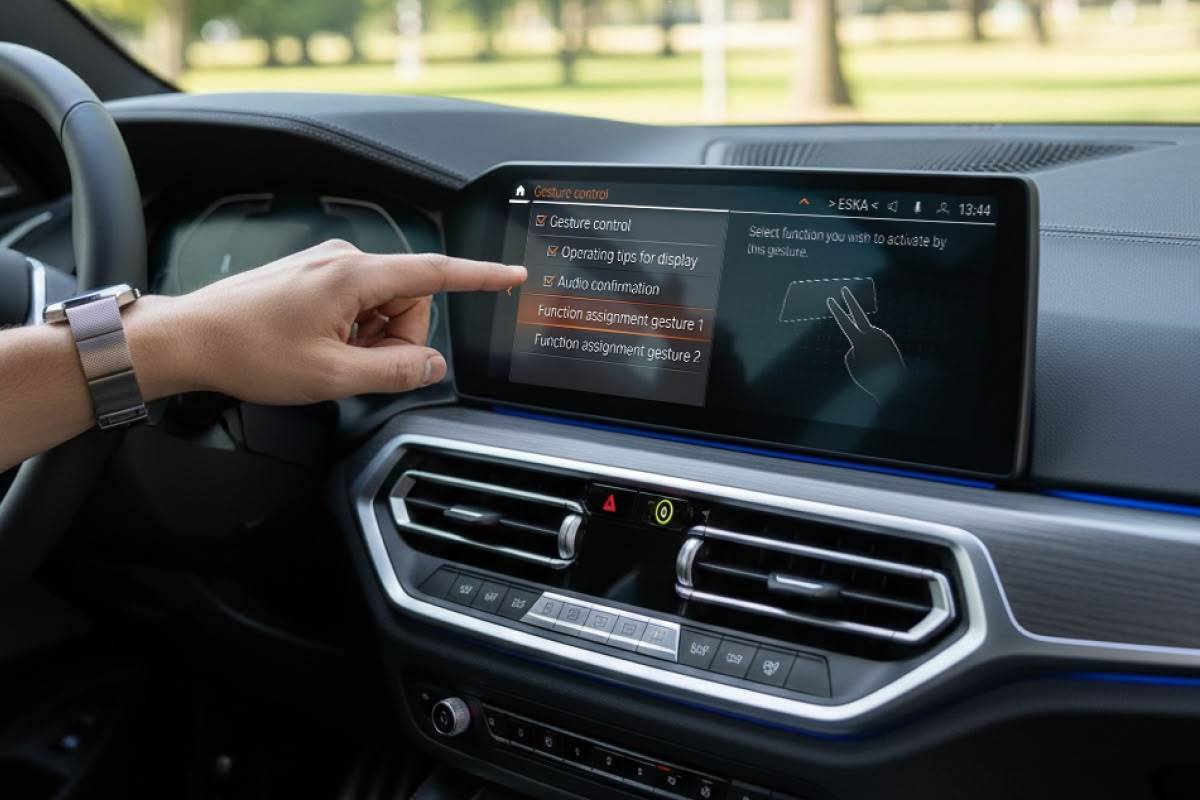
Distracted driving can lead to serious consequences. As time goes on, there are more and more distractions available to us: phone calls, texts, countless music/audio apps to choose and switch to, and so much more.
While Bluetooth, CarPlay, and Android Auto have made all of these features super convenient to use when driving, BMW noticed that convenience can also be a problem. Hunting for buttons, locations on a screen to tap, and the like could prove to be a fatal move, or at least lead to thousands in repairs. To fight this, BMW developed a way for you to control certain aspects of media and phone calls by simply gesturing in various ways. BMW decided to call this (wait for it)... Gesture Control.
While new BMWs no longer have this, plenty older ones on the road still do. While we do have a full article on all of the details about BMW Gesture Control, this will be a summary of the who’s who and what’s what of the now discontinued system.
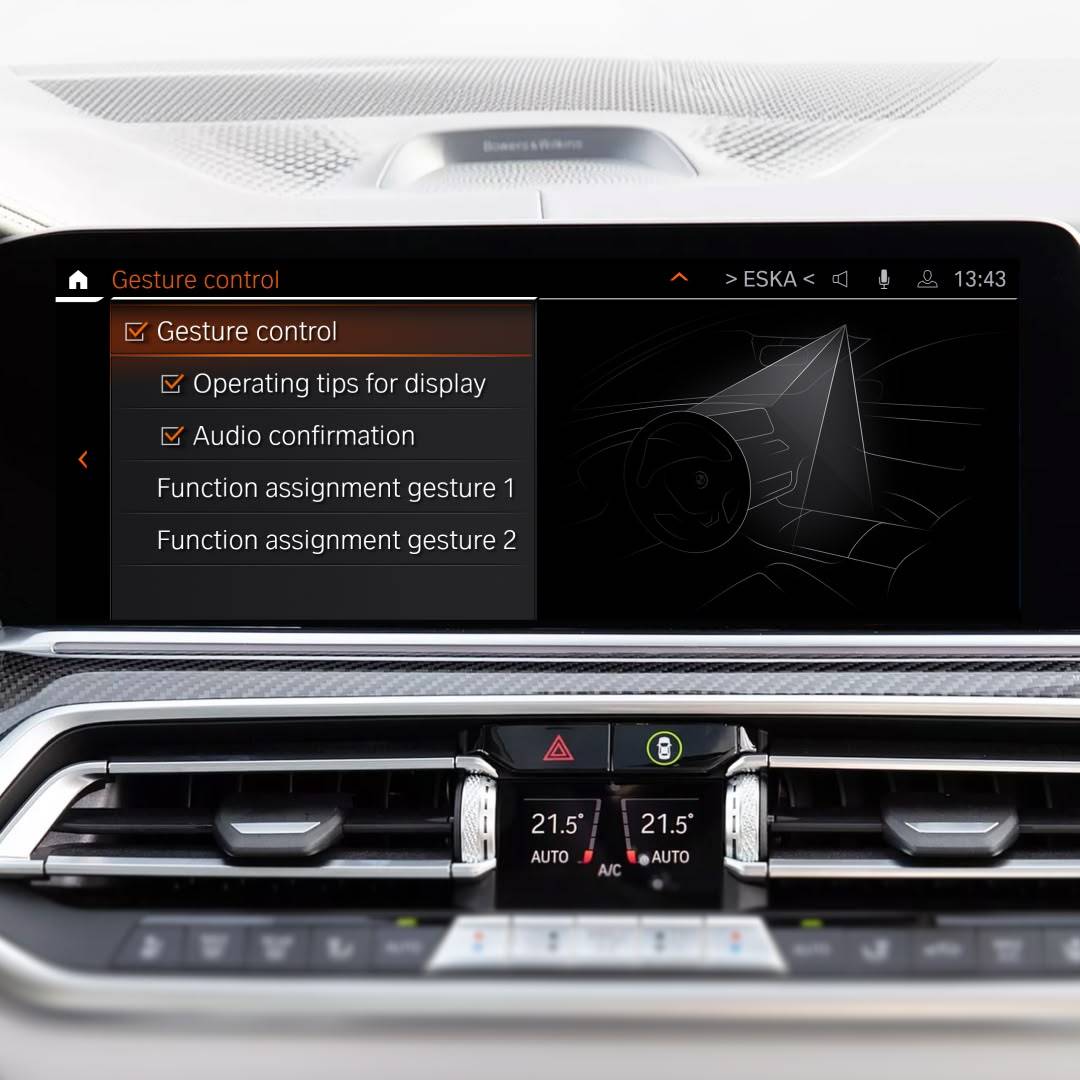 Let’s go over some of the basics about what you can do and how this works, including the settings and the actual hand gestures to use.
Waving your hand and making things happen can be cool as heck, but how does it actually work? While BMW doesn’t go into too much detail behind the technology, it comes down to 3D cameras/sensors located near the rearview mirror that are designed to track hand motions. Mounted in the roof module that is called FZD (Funktionszentrum Dach), they function very much like the face recognition screen unlock on iPhones and some other smartphones.
The hand motions are preprogrammed by BMW to control a certain function such as turning up the audio or accepting a phone call. Once the sensors capture your hand motion in the set location, they will translate that motion into a command.
Unfortunately you can’t just wave your hand around in any BMW and hope for something to happen, beyond getting strange looks from the outside world. Only certain models BMW with certain options came equipped with Gesture Control. Imagine that…
While it first appeared in 2015 with the G11/G12 7 Series, Gesture Control ended up in almost every G Series BMW with iDrive 7 (MGU head units) with Live Cockpit Professional (SA 6U3). Of course there are always exceptions to be considered, such as geographical restrictions.
If you have Gesture Control in your BMW, there are a couple ways to turn it on (or off). One way is to ask your BMW Intelligent Personal Assistant to turn it on or off for you. The other is in the BMW iDrive settings. To do it, navigate to Car, then choose Settings, followed by General Settings. Select Gesture Control and from there you can turn it on or off, and change some of the other settings.
Now that you know how to turn it on and what it does, how do you actually use it? For the best results, keep your hand above the gear shifter and in line with the iDrive screen. That is the optimal location for the camera to pick up your hand gestures.
Let’s really quickly go over the BMW Gesture Control list of commands that you can perform and how to do them. To see them demonstrated in action, you can check out our Gesture Control video linked below:
| Action | Guesture |
| Accept a call or confirm a popup | Point one finger at the iDrive screen, and then pull back |
| Reject a call or close a popup | Swipe your open hand to the right |
| Turn volume up | Circle your index finger clockwise |
| Turn volume down | Circle your index finger counter-clockwise |
| Change 360 camera view on iDrive screen | Pinch and drag your fingers left or right |
| Skip back | Extend your thumb to the left/driver side and move your hand to the left |
| Skip forward | Extend your thumb to the right/passenger side and move your hand to the right |
| Customizable gesture one | Point with both middle and index finger separated |
| Customizable gesture one | Flash all five fingers twice |
In the event you’re getting tired of it not working or accidentally controlling something when all you’re trying to do it reach for something, you might want to just turn this off and forget about it. All you have to do is follow the same steps as the ones for turning it on. You can ask your BMW Intelligent Personal Assistant to turn it off or head back to the settings to disable it. Of course, you can turn it back on at any time.
If this sounds cool to you, but for some reason you don’t have this AND you have a compatible BMW, well… It’s possible to get it retrofitted! We offer our BimmerTech BMW Gesture Control Retrofit for the following BMWs:
Installation of this product is actually very simple. You just need to replace the FZD module and run a pair of wires to the BDC (Body Domain Controller) in the passenger footwell area. All of this can be accomplished with our DIY Essentials Kit and Trim Tool Kit. To get it to function afterward, you just need to book a remote coding session and you’ll be good to go!
It’s pretty easy to do yourself, but you can find one of our installers near you. Or if you’re in the Orlando, Florida area, then stop on by, so we can do it for you. Of course, you’ll get a set of PDF instructions with your order too and we hope to have an installation video for it up on our YouTube channel soon.
After reading all of this and maybe checking out some videos, you might be wondering if it’s worth getting. We’ll, if you're shopping for a used BMW and it has the option already, then there you go!
However, if your BMW doesn’t have it and you are considering getting it, it really comes down to how much you think you’ll use it and how much you’re willing to invest in your BMW.
While the time to install it doesn’t take long, the kit is not amongst the cheapest options out there. Additionally, many of the goals that Gesture Control can accomplish can simply be controlled with your voice (through BMW or Apple CarPlay or Android Auto) or steering wheel controls. This is a big reason why BMW actually ended up discontinuing it.
With that being said, if you want to make the investment, it’s honestly a cool piece of tech to have in your BMW! It’s a factory option unlike anything else and let’s be real… The cool factor is definitely there when you have it!
When BMW first came out with Gesture Control in 2015, it was a really unique feature found in the highest trimmed models. It then made its way down to all G Series BMWs. It was (and still is) impressive to use—and when it works—it works well!
While some may consider it gimmicky, if you have it, it’s worth at least messing around with from time to time. On the flip side: if you don’t have it and have a compatible vehicle, then you can get it retrofitted with one of our products!
We hope you found this article helpful, or at least entertaining! Don’t forget to check out our YouTube channel for other helpful maintenance and DIY focused videos for BMW, MINI, and Supra.
BMW Gesture control allows you to control certain functions in your BMW with hand motions.
If your BMW is a G Series with iDrive 7 with an MGU head unit and Live Cockpit Professional (SA 6U3), chances are you do. To make sure, simply use any VIN checker available and see if you have the 6U8 option. Alternatively, you can also reach out to our Sales Team and ask them about the product compatibility.
If your BMW meets the criteria above, BimmerTech may have a retrofit kit available that will allow you to add Gesture Control to your BMW.
 Customer Reviews
Comments
Rate the product
This email is already registered.
Please Log In to continue.
Categories:
[[cat.label]] ([[cat.data.length]])Popular posts:
Newsletter
Let us find
the right version for you
We'll confirm pricing, compatibility and product details for your car:
Enter your VINBMW Gesture control allows you to control certain functions in your BMW with hand motions.
If your BMW is a G Series with iDrive 7 with an MGU head unit and Live Cockpit Professional (SA 6U3), chances are you do. To make sure, simply use any VIN checker available and see if you have the 6U8 option. Alternatively, you can also reach out to our Sales Team and ask them about the product compatibility.
If your BMW meets the criteria above, BimmerTech may have a retrofit kit available that will allow you to add Gesture Control to your BMW.
Customer Reviews
Comments
Rate the product
This email is already registered.
Please Log In to continue.
[[comment.name]]
[[comment.text|raw]]
BimmerTech
Newsletter
[[comment.name]]
[[comment.text|raw]]
BimmerTech