


Bianka Rommel
Aug-02-2022
ENTRYNAV EVO vs NBT EVO – BMW Navigation Systems Compared
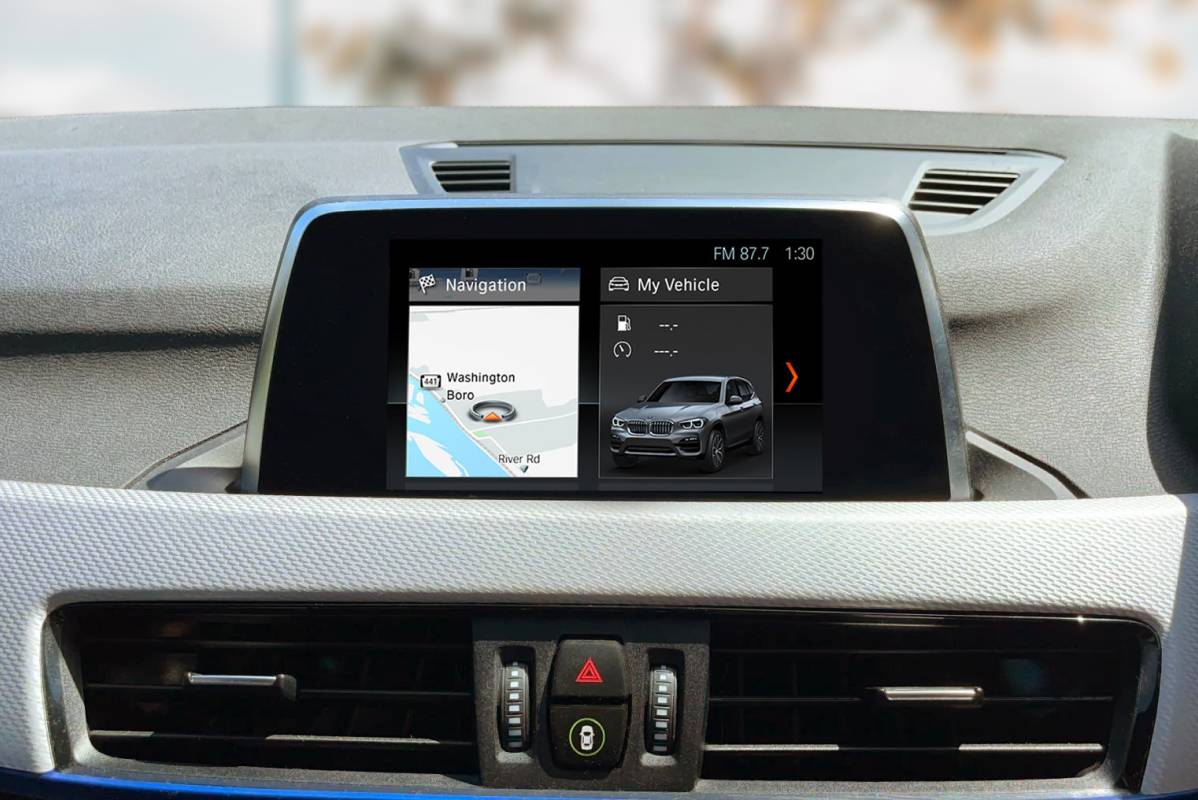
If your BMW features an Entrynav Evo head unit, but your car’s documentation gives no clue on what that actually means for your infotainment options, you may want to pause for a bit at this piece.
We’ll go through your Entrynav Evo (or the so called Entrynav2) features, the navigation package it belongs to and how it compares to its pro navigation cousin NBT Evo ID6. Hope you find it useful!
Types of BMW navigation systems
Before digging into the Entrynav2 head unit features, let’s start off with the basics of the BMW navigation system types. In general there are 5 sets of numbers you’ll want to look at when identifying yours:
- S606A (Business Navigation) – available in Europe only
- S6UNA (Navigation) – available in Europe and the US
- S6UPA (Navigation Plus) – available in Europe and the US
- S609A (Navigation System Professional) – available in Europe and the US
- S6U3A (Live Cockpit Professional) – available in Europe and the US
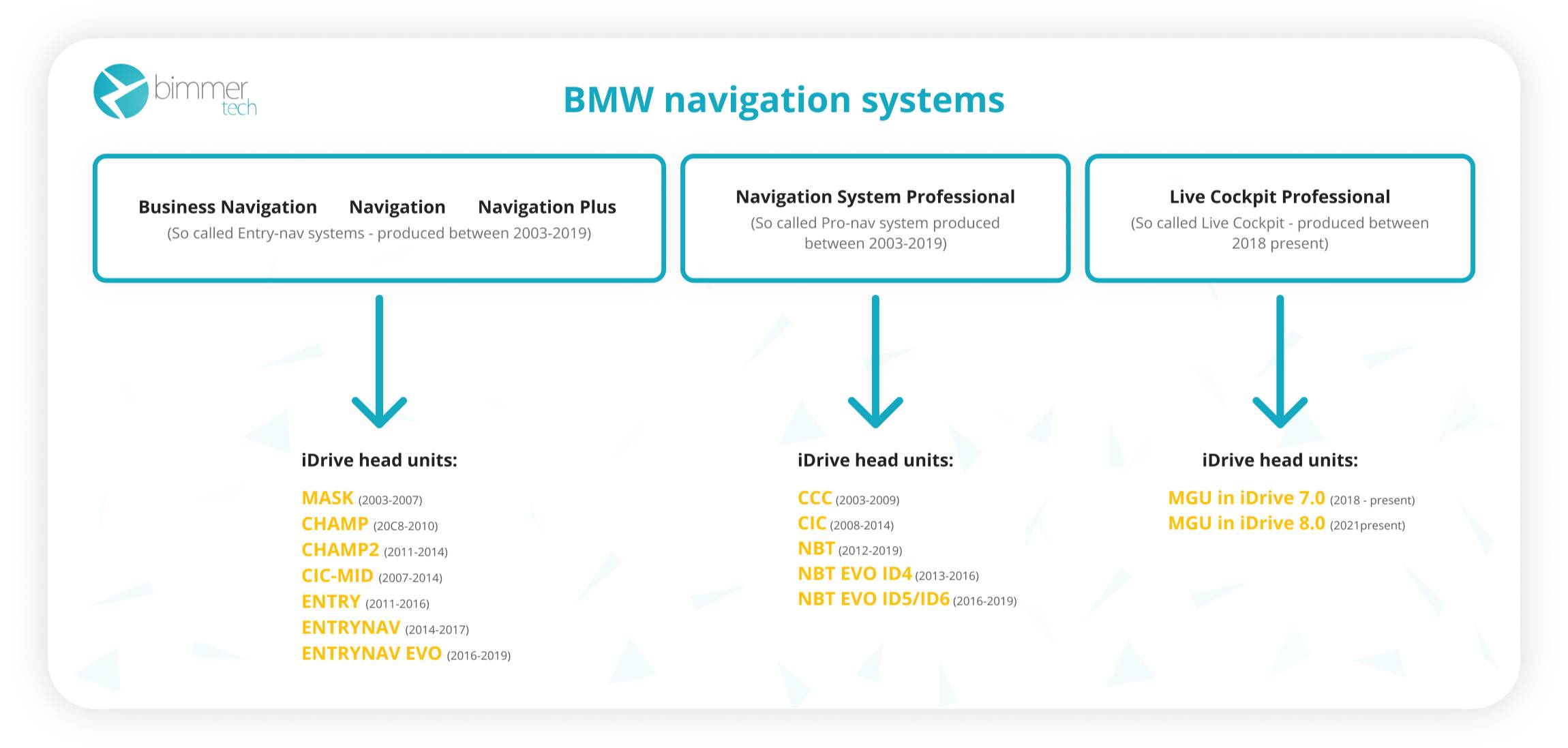
The first three types of BMW navigation – the Business Navigation, Navigation and Navigation Plus – are the so-called entry-level nav systems positioned under a Navigation System Professional (commonly referred to as a pro nav). The last, Live Cockpit Professional, is the latest addition bringing the Bavarian brand to the smart future with the fully digital iDrive 7.0 and 8.0.
Entry-level Navigation vs Pro Navigation
How exactly is the entry-level navigation different from the pro nav? It’s a lighter version containing less advanced maps and stripped of a few multimedia features. See the most prominent differences.
| No navigation | Navigation (S6UNA) / Business Navigation (S606A) | Navigation Plus (S6UPA) | Navigation System Professional | |
| Maps | ❌ | 2D maps | 2D maps | 2D & 3D maps |
| Screen Size / Resolution | No screen / 6.5” | 6.5” | 8.8” (only in G-Series with ENAVEVO) | 8.8” / 10.25” / 12.5” |
| Internal Memory | ❌ | Flash drive up to 32GB | Flash drive up to 32GB | HDD up to 200GB |
| Split screen | ❌ | ❌ | ✔️ | ✔️ |
| Touch screen | ❌ | ❌ | ✔️ | ✔️ |
| BMW Apps | ❌ | ❌ | ❌ | ✔️ (apart from CCC iDrive) |
| Playing videos | ❌ | ❌ | ❌ | ✔️ |
Types of BMW head units
Now, where is your Entrynav Evo head unit placed in this whole lineup? It belongs to the category of entry-level BMW navigation, next to its older nav versions – Entrynav, Entry or CHAMP2.
Here you can see how all BMW head units are divided along the entire BMW navigation system range:
- Navigation / Navigation Plus / Business Navigation – MASK, CHAMP, CHAMP2, CIC-MID, ENTRY, ENTRYNAV, ENTRYNAV EVO (or ENTRYNAV 2)
- Navigation System Professional – CCC, CIC, NBT, NBT EVO ID4/ID5/ID6
- BMW Live Cockpit Professional – MGU (in iDrive 7.0 and iDrive 8.0)
Entrynav EVO vs NBT EVO ID6
Folks often confuse Entrynav Evo with NBT Evo ID6 head unit since they’re each other’s lookalikes from two different BMW navigation system versions, featured in the same manufacturing period – 2016-2020.
Glancing at their BMW screens it’s hard to decide which one’s which until you delve into the details. So here is an overview of how they vary:
| Features | Entrynav Evo head unit | NBT Evo ID6 head unit |
| Interface | ID6 | ID6 |
| Screen size | 6.5” or 8.8” screen | 8.8” or 10.25” screen |
| BMW touchscreen | Available with or without BMW touchscreen | Available with or without BMW touchscreen |
| Navigation |
- Available with or without navigation (nav usually available on extended packages) - If available, comes with WAY BMW maps |
- Improved 3D maps - Updates available through a USB stick (maps are stored on hard drive) - Supports OTA – over the air map updates for free (not the whole map gets updated, only your location) |
| Bluetooth |
- Hands-free calling - Available with or without BMW Enhanced Bluetooth activated |
- Hands-free calling - With BMW Enhanced Bluetooth activated = pairing up 2 phones |
| Music |
- Plays MP3 from CD/DVD discs - Plays MP3 files from a USB stick - if BMW Enhanced Bluetooth activated, plays music from a phone via a USB port and Bluetooth streaming - Allows listening to music through an AUX port (if the car is equipped with it) - Streams wirelessly from the phone through Apple CarPlay if it’s activated |
- Plays MP3/FLAC from CD/DVD discs - Plays music from an internal disc with your own collection - With option S6FLA plays MP3 files from a USB stick - Plays music from a phone via a USB port and Bluetooth streaming (if BMW Enhanced Bluetooth is activated) - Allows listening to music through an AUX port - Streams wirelessly from the phone through Apple CarPlay/Android Screen Mirroring if these options are activated |
| Video | N/A |
- Available with or without DVD port - Plays videos from a USB stick - Full screen mode (on the newer software versions) - Streams wirelessly from the phone through Apple CarPlay/Android Screen Mirroring |
| Voice Control | Available with or without voice control. | Available |
| iDrive Controller | Available with or without touch functionality. | Available with or without touch functionality |
| BMW Apple CarPlay | Available with or without Apple CarPlay (no possibility to screen mirror). | Available |
| BMW ConnectedDrive | N/A | Available |
How to upgrade a BMW head unit?
If your Entrynav2 is on the more sparse side and misses the amenities of Enhanced Bluetooth, voice control or BMW Apple CarPlay, you have a few options to upgrade – OEM Entrynav Evo head unit upgrade, NBT Evo ID5/ID6 iDrive System upgrade and BMW CarPlay & Android Auto retrofit.
OEM ENTRYNAV EVO Head Unit Upgrade – CarPlay Edition
With an original Entrynav Evo head unit upgrade you can update your current Entrynav Evo lacking a WiFi antenna to feature a full range of OEM phone integration options and control possibilities. The list includes:
- Original BMW Apple CarPlay: Use your iPhone’s navigation, messaging, music and other driver-focused apps straight from your factory BMW iDrive screen.
- Enhanced Bluetooth: Pair up multiple devices via Bluetooth at once and stream music from your phone or USB.
- BMW apps: Listen to Spotify through your BMW speakers and switch between songs with the help of the iDrive controller.
- Voice Control: Call your family members, give navigation directions and search your iDrive features all using voice commands.
- An 8.8” BMW touchscreen (if compatible): Control your entire hub in a quick, phone-like manner and get clearer visibility of the displayed apps.
- iDrive controller: Replace your iDrive controller for one with or without touch functionality and swiftly get around your infotainment hub.
NBT Evo ID6 iDrive System Upgrade
Want all of the above plus advanced navigation and driver assistance features? Along with plentiful multimedia possibilities, NBT Evo ID5/ID6 iDrive System upgrade adds the same amount of driver assistance systems benefiting your daily driving routines. The list includes among others:
- The latest BMW Maps: Always know the best and fastest routes to get to your destination along with the newest points of interest.
- Video & Services In Motion: Play movies for your passengers while on the road through DVD.
- Comfort ventilation: Schedule your ventilation for a chosen time of day and always enter your vehicle with a breeze of fresh air.
- BMW ConnectedDrive: Use your BMW subscription services and access features such as roadside assistance, customer support and phone connections.
- Instrument panel settings: Choose what information you want to display on your instrument panel, such as speed limit information, distance to destination, average speed, etc.
- Cruise control settings: Set your vehicle to automatically control your speed.
- Efficient Dynamics: See your average driving speed, your current mpg usage and toggle between different driving modes.
- Android screen mirroring: Screen mirror your Android phone display onto the BMW screen and play videos from YouTube for your passengers when on the road.
Get an overview of how it looks:
BMW CarPlay & Android Auto Retrofit
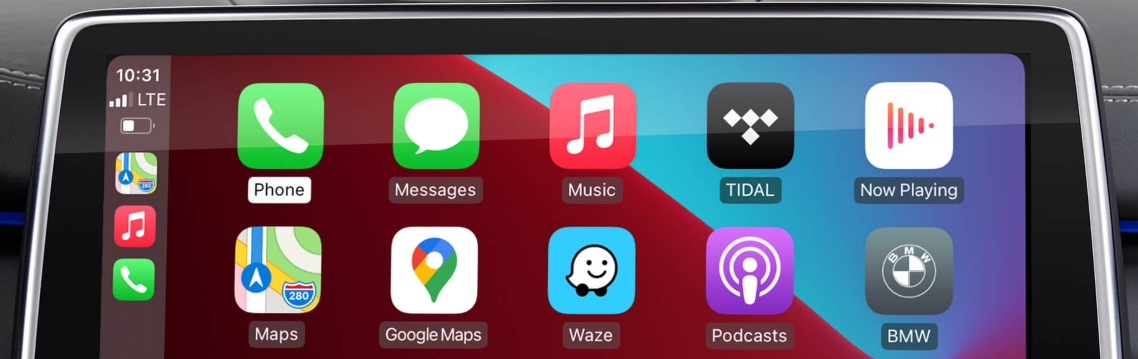
OEM BMW maps or touch screens are not your thing, but turning your BMW navigation system into Apple & Google hub definitely is – in that scenario, there’s no better way to upgrade than with CarPlay & Android Auto MMI Prime.
It’s an ultimate retrofit allowing you to use a host of popular iPhone and Android apps in full screen on your BMW’s factory iDrive display. Depending on your likings, the choices are vast. You can pick whether you want to listen to your music or podcasts through Spotify, YouTube Music or others, stay in touch with your friends via WhatsApp or Messages, or find your routes via Google Maps or Waze without catching a ticket.
Is YouTube or Netflix gonna be there? Thanks to the screen mirroring functionalities, it sure is! But more on that topic in this article.
Check how BMW CarPlay & Android Auto retrofit works:
If you want to know more about your Entrynav 2 head unit features or got a new article suggestion, hit us up down in the comment section! We’ll gladly get to know your ideas :)
Popular posts:


and get to know all compatible products for your BMW or MINI
Where to find your VIN?
Comments(0)
All ratings