


Radoslaw Zbroinski
Nov-10-2026
Is Remote Engine Start Not Available for Your VIN in the BMW ConnectedDrive Store? Here's Why (and What to Do About It)
How Does BMW ConnectedDrive Remote Start Work?
Why Is Remote Engine Start Not Available for Your VIN?
Quick Fixes to Try First
Compatible Car, But No Remote Start in the Store? Try Activation Coding
Not Compatible With the Factory Option? Get the Remote Start Retrofit
Factory Remote Start vs. Remote Start Retrofit
A Word on Safety
To Sum It All Up...
You open the BMW ConnectedDrive Store, type in your VIN, ready to pull the trigger on the remote start activation before winter hits… and instead of a "Buy" button, you receive a polite message: this feature isn't available for your vehicle. No explanation, no alternatives, no idea what went wrong. Annoying? Very. The end of the road? Not necessarily! In this article, we'll explain where the issue usually comes from, which quick fixes are worth trying, and what your options are if the store simply won't budge. So, if you want the remote start feature in your car, this article is for you.
Coming up:
- How BMW ConnectedDrive remote start works
- The most common reasons it's not available for your VIN
- Quick fixes to try first
- What to do if your car is compatible, but the store won't show it
- What to do if your car isn't compatible at all
Let's dive in!
How Does BMW ConnectedDrive Remote Start Work?
For a few years now, BMW has offered Remote Engine Start as a so-called Function on Demand. If your car wasn't ordered with it from the factory, you can buy it in the BMW ConnectedDrive Store, and it's delivered as an over-the-air software update – which means no dealer visit is required. BMW Australia introduced Remote Engine Start in August 2020, and in the USA, it's been available this way since September 2021.
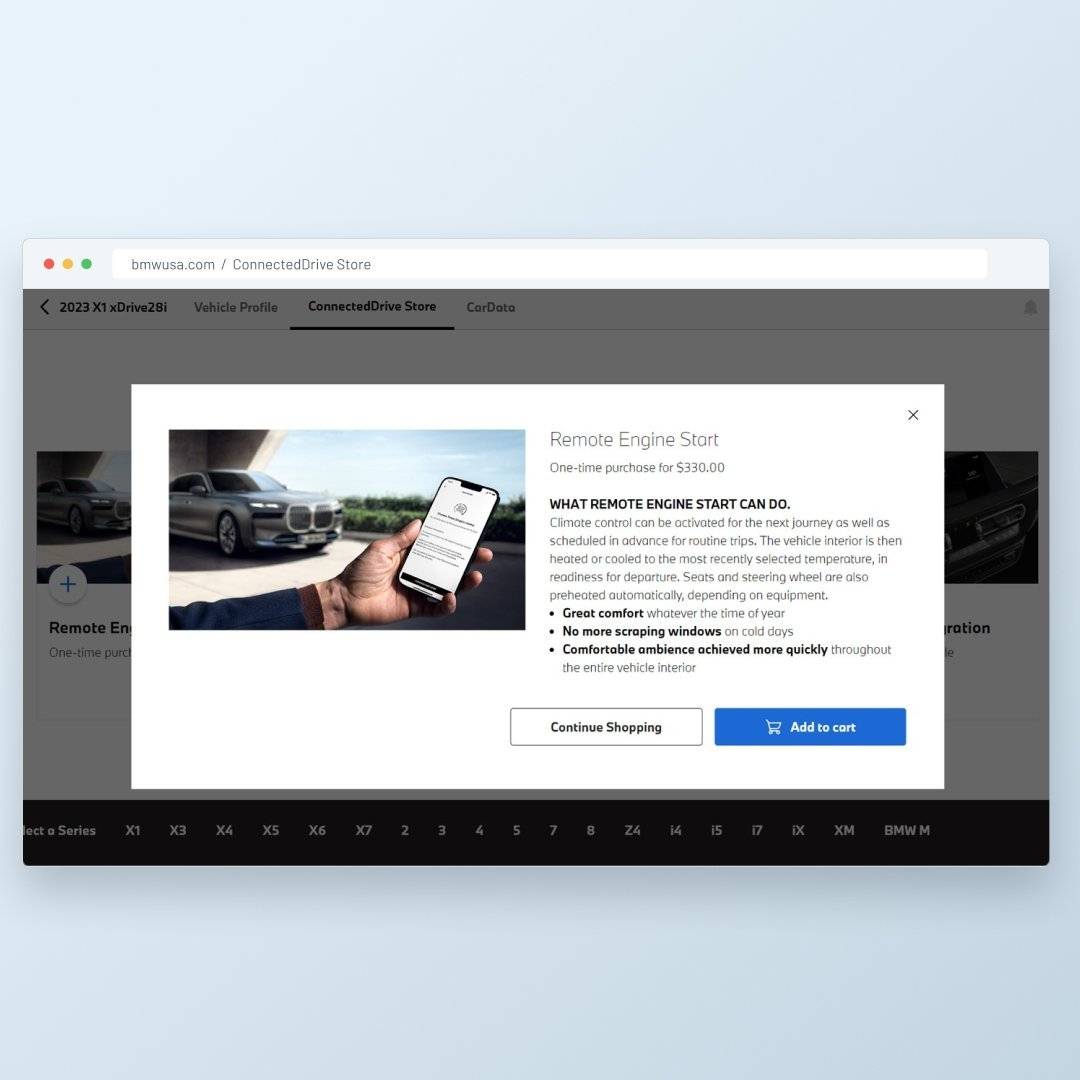 Once activated, you can start the engine in two ways:
- With the key fob – by pressing the locking button three times.
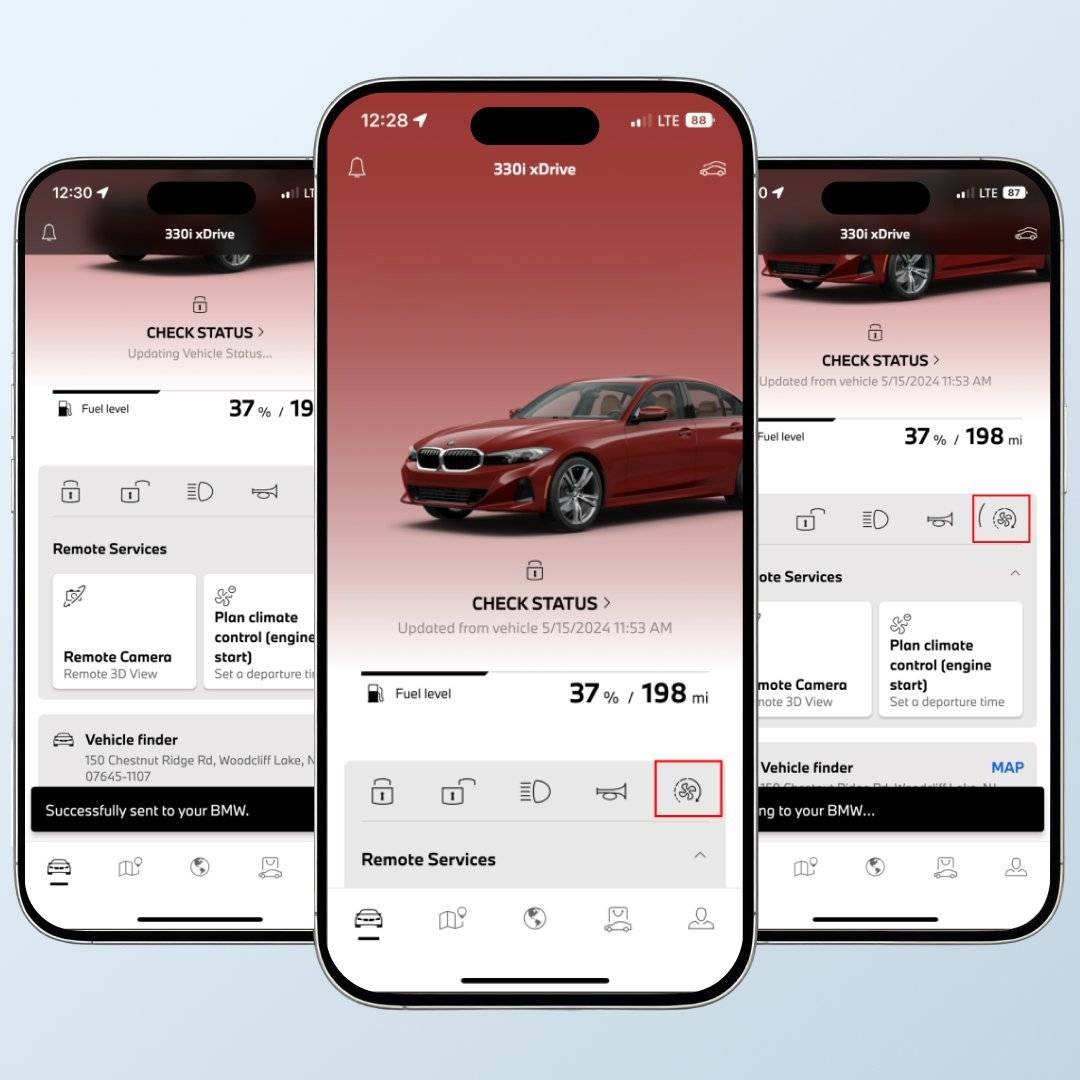
- With the MyBMW App – the MyBMW app starts the engine together with climate pre-airconditioning.
The engine then runs for about 15 minutes – enough to warm up or cool down the cabin as needed – and shuts off automatically if you don't get in within this timeframe.
Why Is Remote Engine Start Not Available for Your VIN?
Before you start blaming the store, it's worth checking whether your car meets the requirements. BMW's conditions are fairly strict, and the store checks them automatically based on your VIN, confirming the compatibility at the same time.
| Possible reason | What it means |
| No automatic transmission | Only vehicles equipped with an automatic transmission (options 205, 2TB or 2TE in the USA) qualify. Manual cars can't get the factory feature at all. |
| Model or model year not supported | The upgrade is offered for most 2019+ models in the USA, but the cutoff differs per model – e.g., the X3 qualifies from 2022 and the X1 from 2023. |
| Unsupported engine | According to BMW USA, the car needs a 4- or 6-cylinder combustion engine. |
| The feature is already there | If your car has factory Remote Engine Start (option 1CR), there's nothing to buy – it may just be disabled in the settings. |
| Your market doesn't offer it | Remote engine start is sold in the USA and Australia, among others, but in many European countries idling an unattended car is restricted, so the option isn't offered. |
| No active ConnectedDrive account | The car must be connected to an active ConnectedDrive account and linked to your BMW app. |
| Outdated software | Activation is delivered over the air, so the car needs to be able to receive Remote Software Upgrades – an outdated operating system can get in the way. |
Long story short: if your car doesn't tick all the boxes, the store won't even show the remote start option. But sometimes it should be there, and it just isn't, which might be an issue with things like account setup or another type of wrong input.
Quick Fixes to Try First
 Before you pull out your wallet for anything else, go through this list. Some of these take a minute, and they fix the issue more often than you'd think.
- Check if you already have it.
You'll find the setting if you navigate to Car > Settings > Climate Control > Preconditioning/Ventilation > Remote Engine Start in iDrive. If the option is there, you're equipped – just turn it on and activate it once with the app or by locking the car three times. If the vehicle function isn't listed at all, your car doesn't have it activated. - Double-check the requirements.
Confirm your model, model year and transmission against the table above. A car from the wrong side of the cutoff date will fail the check every time. - Make sure your ConnectedDrive account is active.
Log into the MyBMW app, check that the car is added and that your services haven't expired. If something looks off, removing the car and adding it again can reset the link between the car and the app. - Update the car's software.
Park your car somewhere with good reception and check for a Remote Software Upgrade in the iDrive settings. Once the update is complete, check the store again. - Give the store another try.
Log out, clear your browser's cache or use a different device, and make sure you're on the Connected Drive Store of your own country – the USA, Australian and other stores offer different features. - Ask the dealer or BMW Customer Service.
Before you purchase anything else, it's worth asking. If everything checks out and the option still doesn't appear, contact BMW. Note that this can take some time, and the answer you receive may simply be "it's not available for your car."
If the store still says no after all that, there are two more roads left – depending on whether your car is actually technically compatible or not.
Compatible Car, But No Remote Start in the Store? Try Activation Coding
Some cars meet the hardware requirements but, for one reason or another, never show the remote start option in the official store – be it a regional limitation or an issue with the VIN data. Take Tim, a hypothetical X5 owner: his car has all the right factory equipment, but the store won't list the feature. Sound familiar? You'll find more than one forum post from owners who've booked dealer appointments, waited weeks for an answer and still ended up with nothing. Thanks for nothing, right?
That's where our BMW Remote Start App Control Activation Coding might be helpful. Instead of waiting for the store, we can activate the factory remote engine start for you through coding – no additional hardware needed. You get the same feature set as with the BMW ConnectedDrive upgrade:
- Remote engine start with your key fob
- Remote engine start from the MyBMW app
- Climate pre-conditioning or cabin warming
IMPORTANT! Before placing your order, you'll have to check compatibility with your VIN on the product page or contact our support team for more information. Unfortunately, we cannot guarantee that the coding service will be available for your car, but it's worth verifying anyway.
Not Compatible With the Factory Option? Get the Remote Start Retrofit
If your car doesn't meet BMW's requirements – say, it's an older F-Series without the right system – the factory feature is off the table. But remote start still isn't. Our BMW Remote Start Retrofit adds remote engine start to most F- and G-Series BMWs and MINIs from 2012 onward, with automatic transmission, as well as A90/A91 Toyota Supras.

Here's what it offers:
- Key fob control – press the lock button three times to start the engine, and the trunk button three times to turn it off.
- Different durations – the engine can run for 10, 20, 30, 40, or even 50 minutes, depending on how cold (or hot) it is outside.
- Climate control – the A/C or heating turns on in Auto mode with your last settings, plus seat heating, steering wheel heating and rear defroster on compatible cars.
- Turbo Timer – lets the turbocharger cool down after a spirited drive.
- Security Check – the engine won't start if a door, the hood or the trunk is open, and the windows will be raised for you.
- Optional MyBMW App control – available as an add-on for selected models.
The installation takes up to 4 hours, requires no coding, and is fully reversible, which makes it lease-friendly. One thing to note: a spare key fob has to be hidden inside the car for the system to work – it's how the car knows a key is present.
Factory Remote Start vs. Remote Start Retrofit
| Factory (ConnectedDrive Store) | BimmerTech Remote Start Retrofit | |
| Compatible cars | Mostly 2019+ models (depending on market) | Most 2012+ F- and G-Series BMWs & MINIs, Supras |
| Transmission | Automatic only | Automatic only |
| Run time | About 15 minutes | 10–50 minutes |
| Control | Key fob, MyBMW app | Key fob, optional MyBMW app |
| Turbo Timer | No | Yes |
| Installation | Over-the-air | Plug-and-play, up to 4 hours |
A Word on Safety
Whichever option you choose, remember: never start the engine remotely in a closed garage or any other enclosed space. When accumulated over time, exhaust gases can cause serious harm. Also, check your local laws – in some countries and US states, remote engine starting is restricted.
To Sum It All Up...
If the BMW ConnectedDrive Store says remote engine start isn't available for your VIN, the reason is usually one of the requirements – the transmission, the model year, your market or an inactive account. Start with the quick fixes: check your iDrive settings, update the software and make sure your BMW app is properly connected.
If your car should be compatible but the store won't show the option, activation coding can unlock the factory function. And if your car isn't compatible at all, the Remote Start Retrofit gives you remote start anyway – with even longer run times.
FAQ
Comments(0)
All ratings
Popular posts:


and get to know all compatible products for your BMW or MINI
Where to find your VIN?


