


Radoslaw Zbroinski
Aug-21-2026
How to Remote Start BMW from App?
What Is BMW Remote Engine Start?
How to Remote Start Your BMW From the MyBMW App?
What's the Catch With Factory Remote Start?
What If Your BMW Doesn't Have Remote Start?
How to Activate BimmerTech's Remote Start Retrofit from an App?
Remote Start via BMW Key Fob – No BMW App Needed
Factory vs. Retrofit – Which Makes Sense for You?
To Sum It All Up
Stepping into a car with a frosted windshield in January, or one that's been baking in a parking lot all afternoon in July, is nothing pleasant. But if you drive a BMW, you don't have to endure any of that. BMW's remote engine start feature lets you precondition your car's interior to a comfortable temperature before you even step outside, controlled from either the MyBMW app or your key fob.
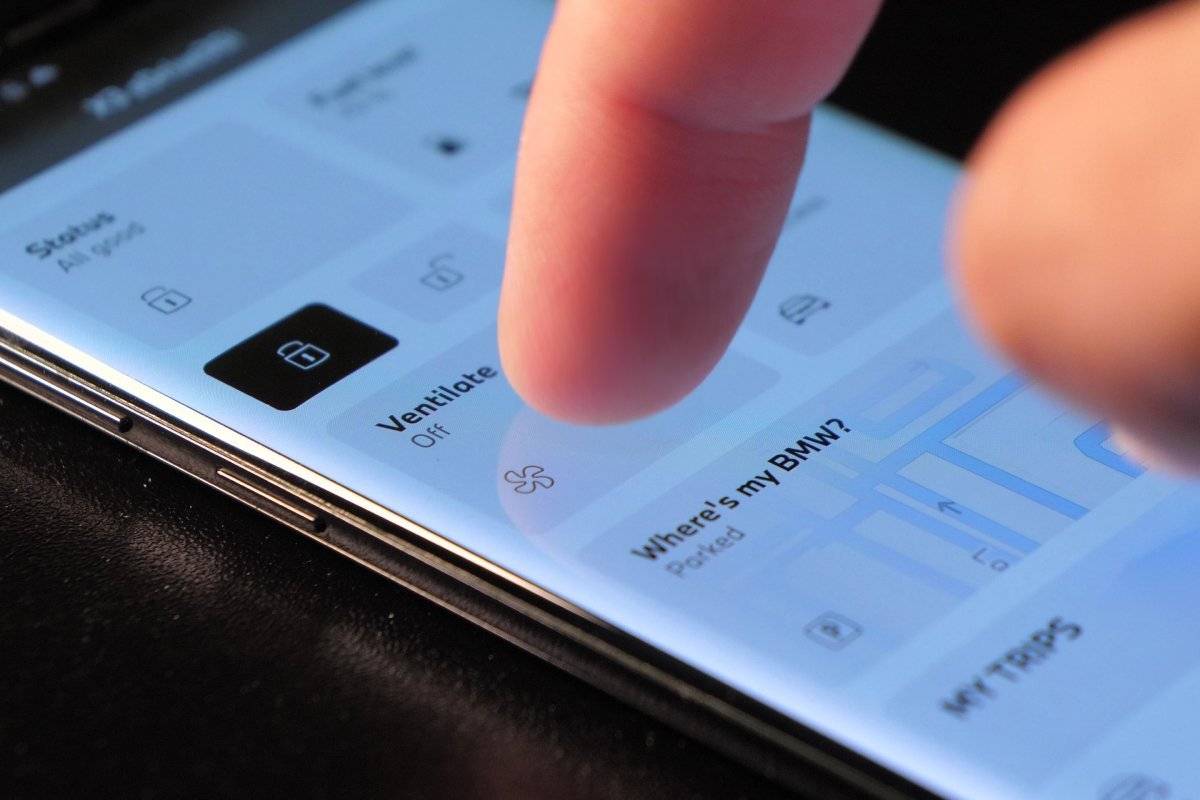
To start your BMW remotely from an app, the steps you’ll need to take will depend on the remote start solution (OEM vs. retrofit) as well as on what market your car comes from. In general, it’s done by locating and clicking on the relevant option in the MyBMW App (such as “Ventilate” or “Start Engine Now”). It is worth noting that in some regions, like Europe, running your engine on idle unsupervised or for longer periods is illegal. So, there is no point for Bavarians to offer this feature there.
In this guide we’ll show you how to use remote start if your BMW already has it, what to do if it doesn't, and where a retrofit might genuinely make more sense than the factory feature. We’ll also dive deeper into the different potential in-app messages or options you might run into.
What Is BMW Remote Engine Start?
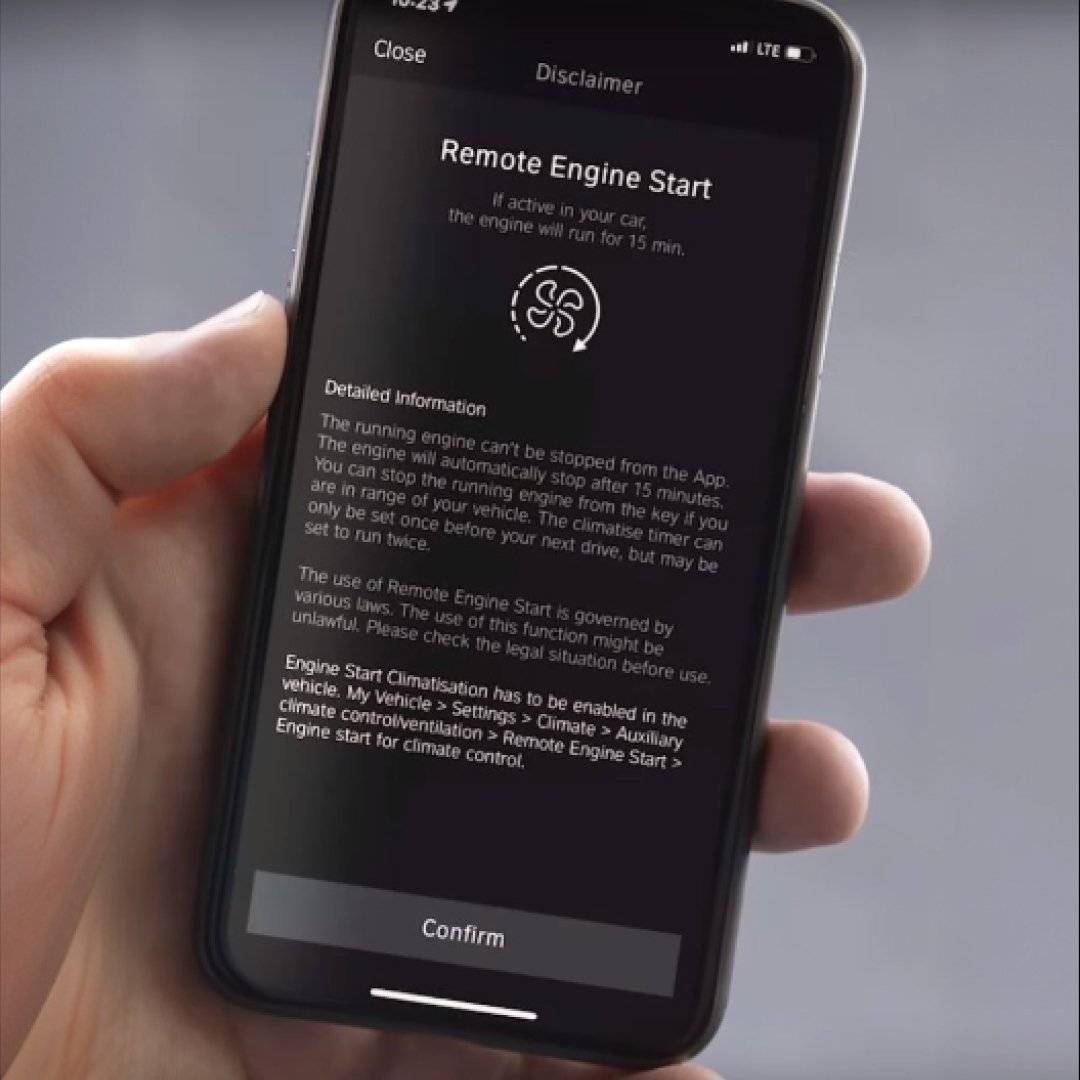 Remote engine start does exactly what it sounds like: it starts your engine from a distance so the climate control can warm or cool the interior before you get in. It's not the same as remote driving – you still need your physical key or BMW Digital Key inside the vehicle to actually put it in gear and go anywhere.
On factory-equipped models, the engine runs for a capped amount of time. It's generally up to 15 minutes, which is meant to be just enough to take the edge off extreme temperatures without leaving the car idling unnecessarily long. It's a genuinely useful feature. The catch, as we'll get into, is that not every BMW has it and even the ones that do come with some strings attached.
If you want to learn more about BMW Remote Start, how to activate it, or how to retrofit it in your car, make sure to read our guide linked here.
How to Remote Start Your BMW From the MyBMW App?
If your BMW is relatively recent, generally running iDrive OS7 or newer, there's a decent chance remote engine start is either already active or available to activate. Here's how to use it.
- Confirm the feature exists in your car
In iDrive, head to Settings, then Climate Control, then Preconditioning or Ventilation. If you see an option labeled Remote Engine Start, your car supports it. If that option doesn't appear at all, your BMW likely wasn't equipped with the feature from the factory. - Activate it once in the car
Toggle Remote Engine Start on from that same menu. This is a one-time setup step, though some owners report having to re-enable it after a software update, so it's worth double-checking after any major iDrive update. - Confirm your subscription status
 Remote engine start is delivered through BMW's Remote Services, and depending on your car's age and warranty status, it may need to be purchased or renewed through the BMW ConnectedDrive Store.
 - Open the MyBMW app
Download it if you haven't already, log into your BMW account, and select your vehicle. Tap the Vehicle tab, then Remote Services, and look for either the climate, Start Climatization icon, or “Ventilate” button. - Press start and wait
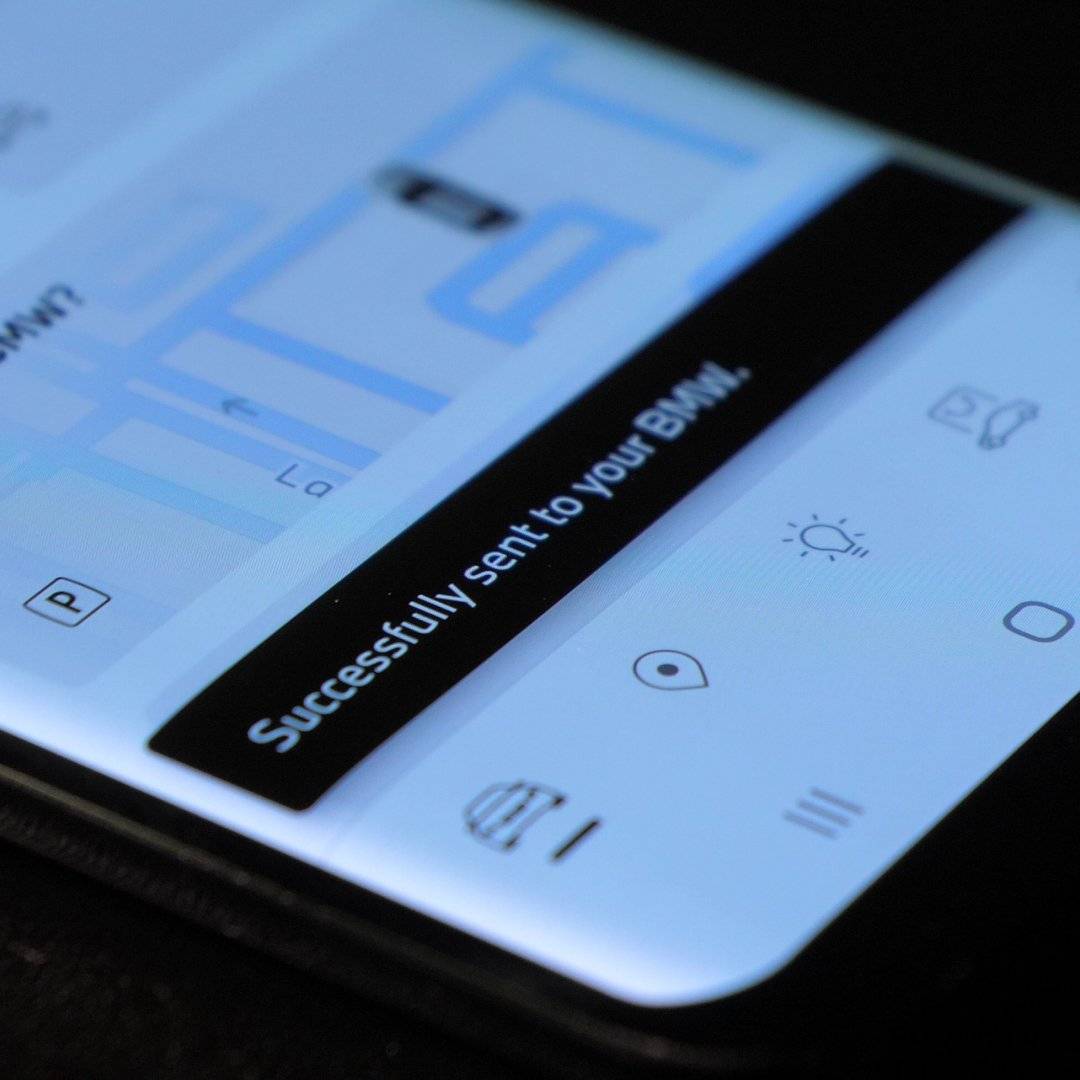
Tap the icon/button, and a “Sending to your BMW…” (or similar) prompt will appear. After a short while – once the command reaches your car – you'll typically get a confirmation notification saying “Successfully sent to your BMW”. Give it a minute – the app communicates with your BMW over its cloud network, so it's not always instant. That's the whole process. It's a genuinely smooth experience when everything's working as intended.
What's the Catch With Factory Remote Start?
Here's where things get less convenient. BMW's Remote Services, including remote engine start, are subscription-based. Many buyers get a complimentary period bundled with the car when new, but once that runs out (often around the same time the warranty does) keeping the feature means paying for a renewal, and reports from owners on forums like Bimmerpost put that cost at roughly $150 a year, though pricing and bundling have shifted over time.
Then there's the compatibility gap. Remote engine start generally requires a fairly current infotainment platform. This means that a meaningful number of BMWs on the road, i.e., anything a bit older or without the right factory option ticked at the time of purchase, simply doesn't have access to it at all, app or no app.
And even on cars that do have it, the run time is fixed at roughly 15 minutes, regardless of how hot or cold it actually is outside. Sometimes that's plenty. On a brutal August afternoon or a genuinely frozen January morning, it can run out just as the cabin starts to feel right.
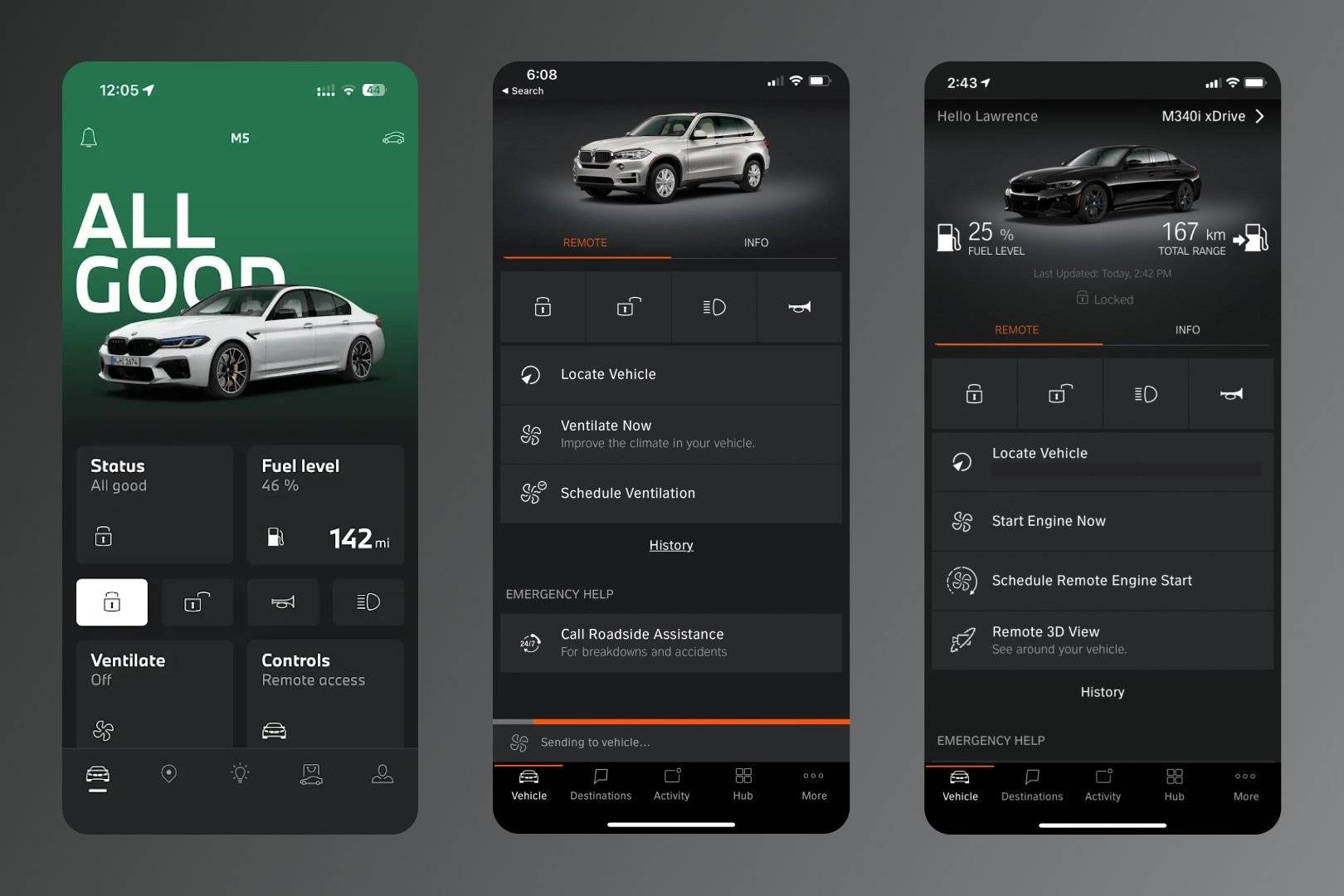
Lastly, there is one small detail of differences in car compatibility and app interfaces. Depending on the region, your BMW model, and app version, you might encounter various in-app labels or messages pertaining to the remote start function.
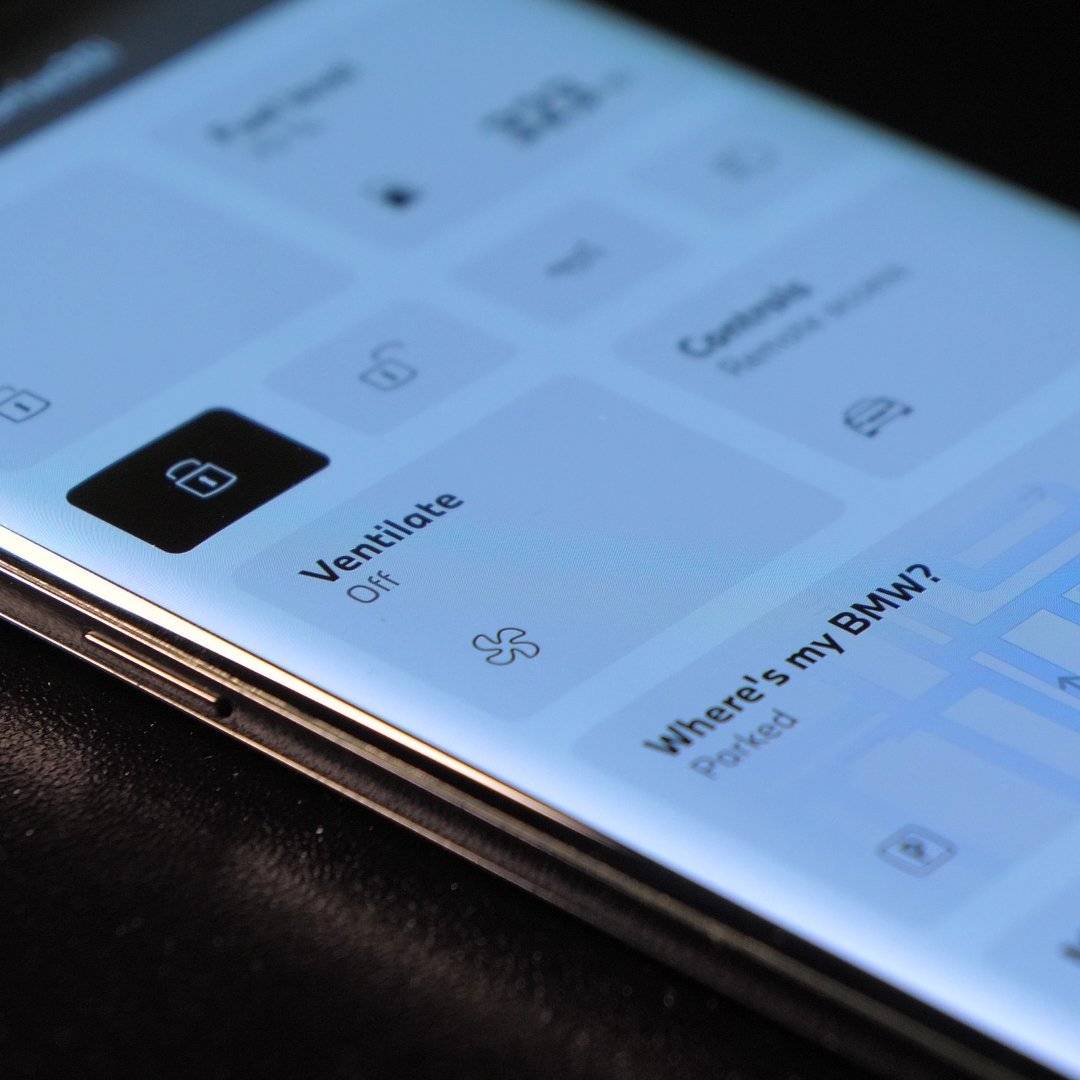
Below are some of the option names you could encounter followed by the respective screenshots:
- Ventilate – with status changing between “Off”/”On”
- Ventilate Now / Schedule Ventilation
- Start Engine Now / Schedule Remote Engine Start
The actual effect, i.e., turning on the engine and ventilation should be the same.
What If Your BMW Doesn't Have Remote Start?
This is where a BMW Remote Start Retrofit solution comes in.
Rather than depending on a factory subscription or a specific iDrive version, it's a hardware installation that gives your key fob remote start capability directly, no ongoing subscription required. It's compatible with most F- and G-Series BMWs and MINIs from 2012 onward, plus A90/A91 Toyota Supras, and it doesn't require any coding.
 A few things make it genuinely more flexible than the factory feature:
- Adjustable run time – instead of a fixed 15-minute window, you can set your engine shut-off time to 10, 20, 30, 40, or even 50 minutes, which makes a real difference on the days when 15 minutes just isn't enough to properly cool down or warm up the interior.
- Turbo Timer functionality – for anyone who drives their BMW with any enthusiasm, this lets the retrofit manage engine cooldown time after a spirited drive, letting the turbocharger cool properly before shutdown instead of getting starved of oil circulation the moment the key comes out.
- Diesel glow plug preheating – where applicable, so the engine readiness check accounts for that extra step automatically.
How to Activate BimmerTech's Remote Start Retrofit from an App?
The everyday experience is intentionally close to what factory-equipped BMW owners already know.
Stand near your car within key fob range, press the lock button three times, and the engine starts with your prior climate settings applied automatically. This includes heated seats and steering wheel, on compatible models.
A built-in Security Check runs before the engine activates, confirming doors, hood, and trunk are closed and rolling up any open windows, so you're not left wondering whether it's actually safe to walk away. If you've opted into MyBMW App Control on a supported model, the same activation is possible from your phone by pressing the “Ventilate,” with your car's status confirming the engine has switched from "Parked" to "Vehicle in motion."
Remote Start via BMW Key Fob – No BMW App Needed
If you'd rather skip the phone entirely, BMW's factory system also supports key fob activation.
For OEM remote start function – stand near your car, within range of the fob, and press the lock button three times in a quick succession. For the BimmerTech Remote Start Retrofit – click the button three times with 1-second gaps between each click.
The doors stay locked, but the engine fires up and begins climate preconditioning using your last-used settings. To stop it early, press the lock button on the fob three times. Otherwise, it shuts off automatically once the time limit is reached.
Factory vs. Retrofit – Which Makes Sense for You?
If your BMW already has remote engine start built in and you're comfortable with the ongoing Remote Services cost, the MyBMW app route works well and needs nothing added. But if your car is not compatible or you are one of the BMW owners who'd rather not pay a recurring subscription to keep using a feature they already paid for once, the BMW Remote Start Retrofit makes much more sense. Particularly given the extra flexibility around run time and the extra features like the Turbo Timer that BMW's own system doesn't offer at all.

Either way, remote start is one of those upgrades that quietly improves the driving experience every single day, in a way that's easy to underestimate until you've actually had it.
To Sum It All Up
Whether you're activating remote engine start through the MyBMW app on a factory-equipped BMW, or looking at a retrofit because your car never had the option, the goal is the same. That is, never step into an uncomfortable cabin again.
The factory system is smooth when it's available, but the subscription cost and the compatibility gap leave plenty of BMW owners without a real answer. That's exactly the space BimmerTech's Remote Start Retrofit was built to fill – checking your VIN takes a couple of minutes and will confirm whether your specific BMW, MINI, or Supra qualifies.
FAQ
Comments(0)
All ratings
Popular posts:


and get to know all compatible products for your BMW or MINI
Where to find your VIN?