


Radoslaw Zbroinski
Mar-27-2026
What Is BMW ConnectedDrive and Is It Worth the Price?
Written together or separately...? BMW ConnectedDrive services explained
BMW ConnectedDrive Services list with examples
BMW Remote Engine Start
BMW Digital Key & Digital Key Plus
BMW Intelligent Personal Assistant
BMW Assist eCall
BMW Drive Recorder
How to activate BMW ConnectedDrive?
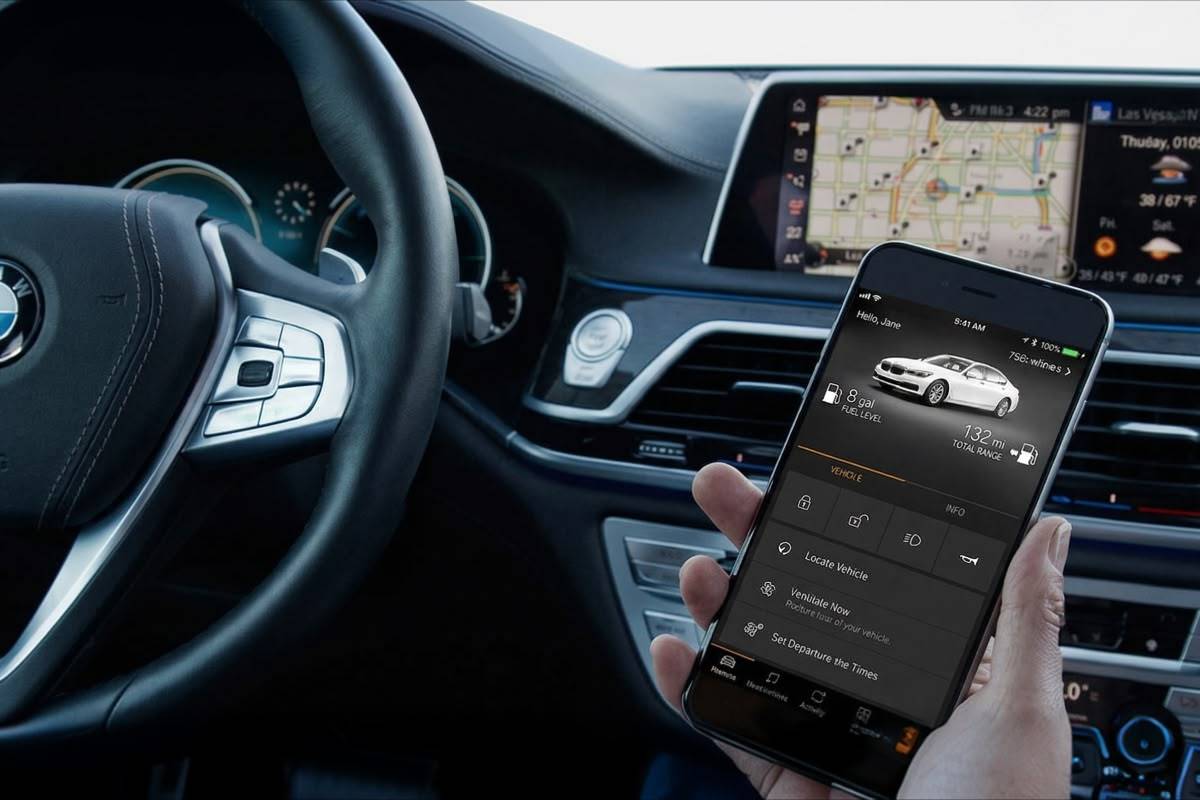
My BMW App integration & control
Remote 3D View in My BMW App
Apple CarPlay & Android Auto in BMW
Supported BMW models & system requirements
BMW ConnectedDrive costs, subscriptions & upgrades
What Is BMW Digital Premium?
Summary – Now you know all about BMW ConnectedDrive!
Large touchscreens, icons organized in tiles, haptic feedback – infotainment systems are becoming increasingly reminiscent of smartphones or tablets. Well, the Bavarians decided to take this similarity even further and they’ve created BMW ConnectedDrive. It’s a cloud-based digital ecosystem that quietly runs in the background of the new BMWs, making them smarter, safer, and – supposedly – more convenient to live with. It consists of additional features as well as some apps that enhance the functionality of a given vehicle.
But is that really all there is to it? Coming up, we’ll try to find out:
- What is BMW Connected Drive and how is it spelled?
- What exactly do you get with it?
- What are some of the key services offered within it?
- If there is a free trial for the BMW ConnectedDrive services?
- How much does it cost and is it worth the subscription fee?
Let’s dive right in!
Written together or separately...? BMW ConnectedDrive services explained
First things first, the name.
You might have seen it written as both the “BMW connected drive” (separately) and “BMW ConnectedDrive” (one word, which is the official branding). While Google Search might be suggesting the former, probably because so many people spell it like that, the latter is the correct option. That being said, even BMW’s own marketing materials aren’t always consistent either, so don’t stress about it ;)
Now that we’ve got it out of the way, we should take a look at the actual ecosystem itself. At its core, BMW ConnectedDrive is a cloud-connected digital platform that links the vehicle’s systems, apps, and external services through an embedded SIM card and BMW ID. The platform covers a broad range of functions. From remote vehicle or A/C control and live navigation updates to in-car entertainment, safety alerts, and smartphone integration. However, it’s worth noting that the depth of those capabilities heavily depends on three things: the vehicle’s hardware, its Operating System version (more on that later), and the region.
In short: it's just like the App Store or Google Play. Only for a BMW car, instead of a mobile phone.
Again, not all of that comes standard or free (sometimes it’s just unavailable for a given model or in a particular region), but we’ll dig into these things later. First, let’s look at some of the more interesting services in detail.
BMW ConnectedDrive Services list with examples
Since there are lots and lots of applications or additional features available within BMW ConnectedDrive, we're going to have to limit our overview to only the most noteworthy ones. For a full list, you'll have to visit the platform itself – if you don't want to get overwhelmed though, make sure to read the following guide first.
BMW Remote Engine Start
In some of their cars, BMW offered a factory-installed system similar to our Remote Start Retrofit. In the ConnectedDrive Store you can purchase its activation for compatible models that weren't optioned with it right from the start. The biggest advantage of the Remote Start is the ability to pre-condition the interior of a car even before leaving your home – in winter you'll enter a warm, cozy space and in summer you won't boil inside your Bimmer.
can toggle by pressing different button combinations on your key fob.

If your car doesn't have this option available in the ConnectedDrive Store, but you really, really want it, don't worry. BimmerTech's solution mentioned above works just as reliably and securely as the OEM one; visit its store page to learn more about that product.
BMW Digital Key & Digital Key Plus
This option turns any compatible smartphone into the vehicle's main key fob using NFC (Near Field Communication) to allow locking and unlocking the door or starting the engine. The feature is also compatible with smartwatches, where it adds a virtual "Key Card" to the credit card wallet.
To operate it, all you need to do is hold your phone (or watch) near the door handle and it will unlock or lock. Conversely, after placing the device in the wireless charging tray you'll be then able to use the Start/Stop button.
Then there’s also the BMW Digital Key Plus, which takes things a step further. It uses Ultra Wideband (UWB) technology to enable passive entry – meaning your BMW will unlock automatically as you approach, without needing to tap anything. It also provides significantly improved anti-relay protection, which matters because relay attacks on keyless entry systems have become a real concern for car theft.
One additional, very useful feature of both versions is key sharing. Access to the keys can be shared with up to 5 or 18 (for the Plus version) other people through the My BMW App.
Below is a brief comparison of the two versions.
| Option | Digital Key (NFC) | Digital Key Plus (UWB) |
| Unlock method | Tap to unlock (NFC) | Walk-up passive entry (UWB) |
| Anti-relay protection | Standard | Enhanced |
| Key sharing | Up to 5 people | Up to 18 people |
Both Digital Keys currently work only for select BMW models with compatible hardware and require specific iPhone or Android smartphones that support NFC and/or UWB.
BMW Intelligent Personal Assistant
Say “Hey BMW” and your car listens. The BMW Intelligent Personal Assistant is a voice-activated assistant that controls navigation, climate, media, and various vehicle functions through natural language. Over time, the assistant also learns its user's preferences like frequently used destinations, climate settings, or preferred routes and starts making proactive suggestions.
BMW Assist eCall
 This feature automatically contacts emergency services and transmits your vehicle’s location in the event of a serious collision – even if you’re unable to make the call yourself. There’s also a manual SOS button in the cabin that connects you directly to a trained live response specialist for emergency assistance or general information.
BMW Drive Recorder
When driving, an additional layer of security comes from documenting your journeys in a video format. Some BMWs can have a special video recording feature activated, which then uses all the camera views (front, back, side-view in the mirrors) to record short clips of what's happening around the vehicle.
Kinda like a built-in camcorder, but worse, because the resolution is low, maximum video loop duration is short, and the frame rate kinda sucks. If you don't want to bother with extra hardware, the option available in the ConnectedDrive Store is better than nothing. But if you would like something actually useful and with a clear picture, take a look at our BMW Dashcam Retrofit instead.
How to activate BMW ConnectedDrive?
Activating BMW ConnectedDrive isn’t complicated, but it does require a few steps. Here’s how it works:
- First, you’ll need a BMW ID – create one at the BMW website or directly through the My BMW app if you don’t already have one. This is the account that ties your digital services to your car.
- Next, link your VIN to your BMW ID – this registers the vehicle to your account and unlocks access to the ConnectedDrive portal and remote services.
- Complete the activation – to do it, confirm the code shown in your car’s ConnectedDrive menu, or do it through the My BMW app. The process only takes a few seconds once everything is in order.
- Verification successful!
Some paid services require an active SIM card or eSIM in the vehicle to function and an initial trial subscription may be pre-loaded on new BMW vehicles. Check your model’s specific requirements in the ConnectedDrive portal.
Common activation hiccups include mismatched BMW IDs (especially if you’ve created multiple accounts over the years), VIN entry errors, or an in-car SIM that hasn’t been activated yet. If things aren’t working after following the steps, a quick call to BMW customer support or your local dealer will usually sort it out quickly.
My BMW App integration & control
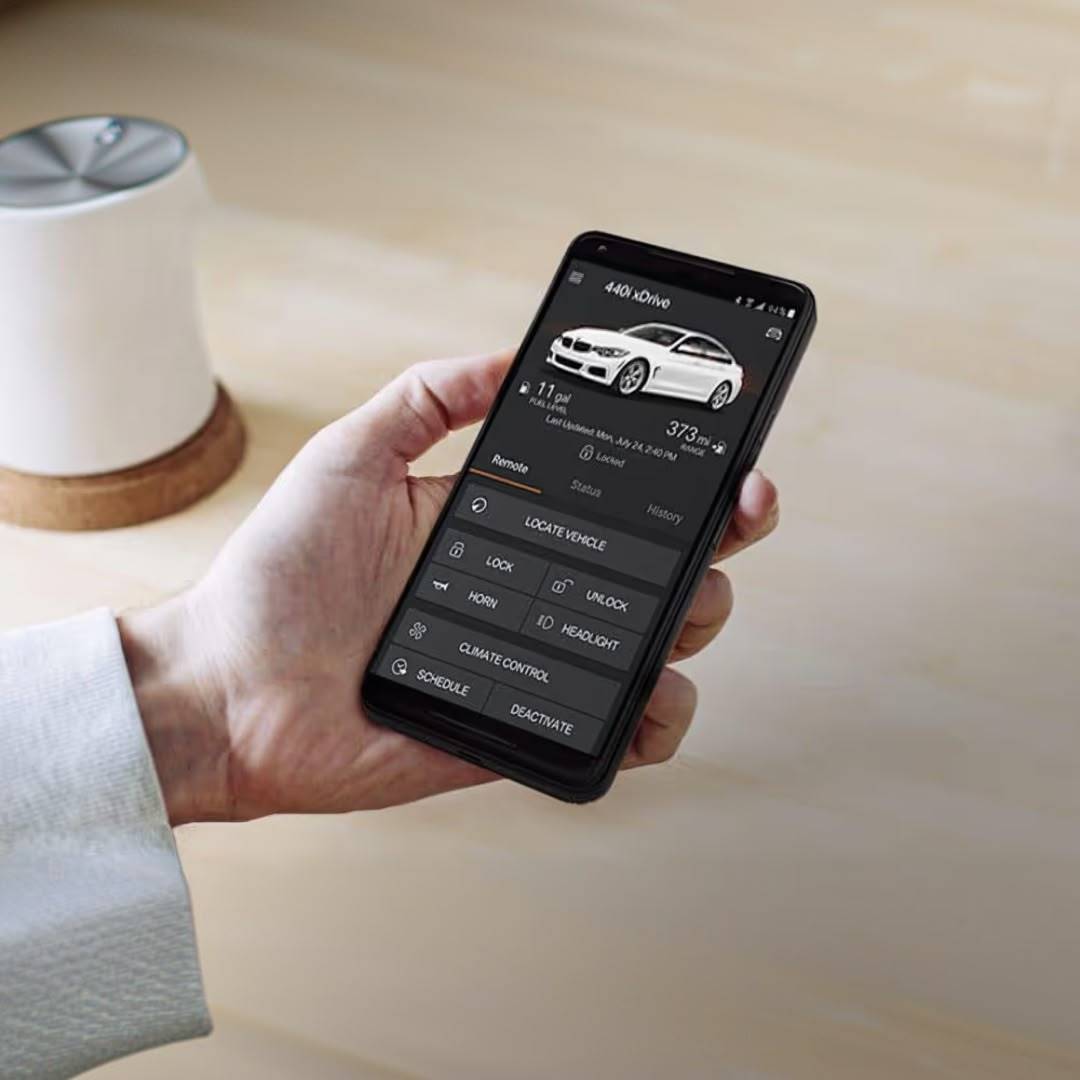
The My BMW App is the remote control center for all your ConnectedDrive options and it’s more capable than it might initially appear. At the basic level, you get the remote vehicle status updates like:
- Is it locked?
- How much fuel or battery charge is left?
- Where did you park it?
Useful on its own, but only the beginning.
One extra feature that sounds minor, but might become surprisingly addictive is app-to-car routing. You plan a destination on your phone – searching on Google Maps or just looking something up – then send it directly to BMW Maps for one-touch navigation to start the moment you get in the car. No re-entering addresses or fumbling with the iDrive touchscreen while the car is stationary.
As mentioned before, the app also handles Digital Key setup and permission sharing, and manages user profiles tied to your BMW ID. If you share the vehicle with someone, each driver can have their own profile with personal preferences, seat positions, and connected services settings.
Remote 3D View in My BMW App
Apart from these options, if your car is equipped with 360 cameras, BMW ConnectedDrive will allow you to use them remotely to see what’s happening around your car right from your phone. Yup, that’s right: when away from your parked Bimmer, you can see its surrounding area – with the same bird’s-eye view of the car as the one used for parking or reversing.
This is for when you would like to ensure it’s safe and secure. Or if you can’t get enough of looking at it, if that’s your jam, of course.
Apple CarPlay & Android Auto in BMW
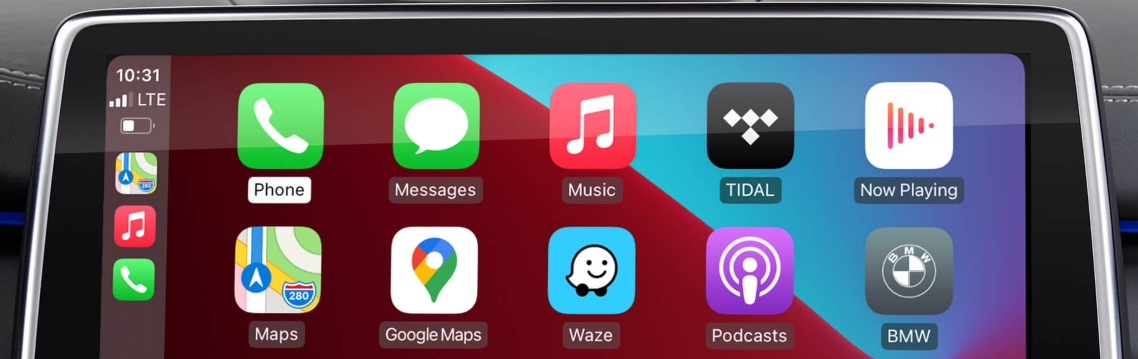
A question that comes up constantly: do you need a ConnectedDrive subscription to use Apple CarPlay or Android Auto? In most markets, the answer is no. CarPlay and Android Auto operate independently of ConnectedDrive subscriptions and simply mirror your smartphone’s interface through the iDrive screen.

Supported BMW models & system requirements
ConnectedDrive’s full feature set is most accessible on BMW models running the current Operating System generations: BMW iDrive 8, iDrive 8.5, and iDrive 9. These are found in BMWs produced roughly from 2021 onwards, with newer cars getting the most comprehensive connected features and the smoothest experience.
Older BMW vehicles aren’t left out entirely, but feature availability drops off the further back you go. Some services require optional hardware that wasn’t installed at the factory, and others simply can’t be retrofitted at all – particularly features tied to the car’s antenna, SIM hardware, or camera systems.
The safest way to check exactly what’s available for your specific vehicle is to use the ConnectedDrive Store with your VIN. This shows you precisely which services are compatible, what’s already active, and what can be added. Feature availability also varies by country, so a service that’s included by default in one market might require a separate subscription in another.
BMW ConnectedDrive costs, subscriptions & upgrades
Most new BMW vehicles come with a complimentary ConnectedDrive trial, typically covering core services for a set period after purchase. Once that trial expires, continued access to most paid services requires a subscription or one-off purchase. The specific terms vary by market, so there’s no universal answer to “how much does ConnectedDrive cost."
What Is BMW Digital Premium?
BMW Digital Premium is BMW’s ConnectedDrive flagship connectivity bundle, combining cloud navigation, in-car apps, streaming services, and enhanced connectivity features into a single package. Rather than activating individual services separately, Digital Premium brings most of the core ConnectedDrive experience together under one subscription.
Summary – Now you know all about BMW ConnectedDrive!
BMW ConnectedDrive is one of the more comprehensive connected vehicle platforms on the market. The combination of BMW Maps with real-time traffic information, Digital Keys, the Intelligent Personal Assistant, emergency services via BMW Assist eCall, and deep My BMW app integration puts their digital life ahead of what many competitors offer out of the box.
That being said, it's not without its downsides, the main one being high costs. The subscription model also means ongoing costs after the trial period, and the feature availability differences between markets, models, and Operating System versions can make it hard to know exactly what you’re getting without checking your specific VIN. The BMW ConnectedDrive Store helps with this, but it requires a bit of digging.
Many users online praise the features, but claim that they are not worth the price. If you are on the fence about it, check if there are trial options still available for you to test it out before spending any money on something you might forget about.
SUMMARY IN A NUTSHELL: Is BMW ConnectedDrive worth it? For owners who actively use BMW Maps, the Intelligent Personal Assistant, and in-car app streaming, Digital Premium represents reasonable value compared to purchasing each service individually. For owners who primarily use CarPlay or Android Auto and rarely venture into the native BMW interface, the case is weaker. It really does come down to how you actually use the car day to day.
Popular posts:



and get to know all compatible products for your BMW or MINI
Where to find your VIN?
Comments(0)
All ratings