


Panoramic Screen Upgrade for BMW
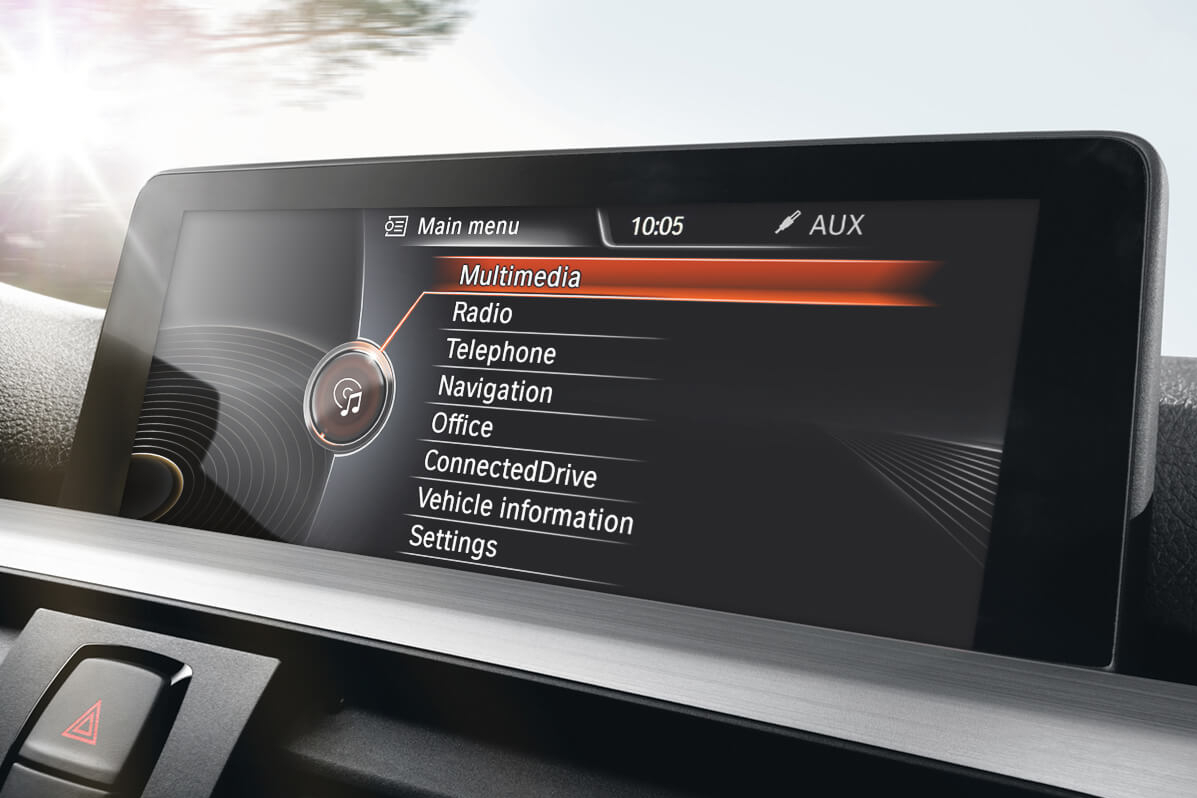
Features
- Double the resolution of the smaller factory screen
- Widescreen 8.8" display gives more room for your menu and apps
- OEM quality to maintain a clean, original look
- The perfect match for full-screen Apple CarPlay and Android Auto
- Made specifically for F3x (F30, F32 etc.) vehicles
Properties


* Only by entering your VIN can you be 100% sure
you get theright version of the product for your vehicle.
Where to find your VIN?
Required with this product
+$49.00
Addon
+$14.99
Warranty option:
Accessories for this product

Delivery time: 2-7 business days

Free shipping worldwide
Delivery time: 2-7 business days
Free shipping worldwide
Description
Is your BMW iDrive screen feeling a little cramped? Then give everything a little more room with this 8.8" widescreen display. Replaces the smaller 6" factory BMW screen.
Packing a sharp 1280x480 display, OEM quality and perfect integration with your car's interior, it's the easiest way to refresh your BMW's infotainment system. Fits smoothly into your dashboard, for a factory-original look. Made for F3x (F30, F32 etc.) vehicles with the ENTRYNAV head unit.
This BMW screen upgrade is the perfect match for our CarPlay MMI Prime, making it easy to use Apple CarPlay and Android Auto in full-screen. Get more space for your maps and messages, and more icons on your CarPlay home screen for quick navigation between apps.
After installation, our technician will optimize your iDrive for the larger display in a remote coding session, included in the price of the retrofit.
Please note that this screen is refurbished and is likely to show signs of use, but will be in a very good condition and full working order.
Installation
The iDrive screen replacement process takes up to 1 hour. You will need to disassemble the top trim under the screen and remove the vents. After trim removal, you will have to unscrew the factory iDrive screen. Finally, install the Panoramic Screen, attaching the associated wiring.
The kit includes all parts necessary for installation:
- Panoramic Screen
Learn more about the installation:
After the physical installation of your navigation screen replacement, you will need to have your iDrive coded in a remote coding session with our technician. Coding is included in the price of the retrofit. You will require a coding cable, which you can add at the top of the page if you don't have one.
Installation instructions appear in your personal account within 72 hours after the purchased product is shipped. They are created and customized for each specific model. But in case of any additional questions, our technical support is always ready to help.
Comments(0)
No data found


* Only by entering your VIN can you be 100% sure
you get theright version of the product for your vehicle.
Where to find your VIN?